Tech Revenue Brief
Creator Business

How to Use an AdSense RPM Calculator to Forecast Revenue

Learn how to use an AdSense RPM calculator to forecast your revenue effectively. This guide provides step-by-step instructions and tips for accurate predictions.

Start Here

TL;DR

  • Gather accurate data on pageviews and RPM for effective forecasting.
  • Regularly update your inputs to reflect changes in traffic and revenue.
  • Consider seasonal trends when predicting future earnings.

Plain English

What this means

Gather accurate data on pageviews and RPM for effective forecasting. This briefing is written for operators who want a fast read first, then a practical plan—not a generic news recap.

creator-business briefing

Audience

Who should care

  • Creator Business operators evaluating their next move
  • Founders and publishers who need a decision framework, not more hype
  • Teams modeling revenue, ads, affiliates, or newsletter monetization

Scan Path

Answer first, details second

Trust Cue

Source linked for verification

Time Cost

3 min read

Tech Revenue Brief

How to Use an AdSense RPM Calculator to Forecast Revenue

Understanding how to use an AdSense RPM calculator is crucial for publishers looking to forecast their revenue accurately. This tool helps you estimate your potential earnings based on your pageviews and RPM (Revenue per Mille).

Quick Answer

An AdSense RPM calculator allows you to input your pageviews and estimated RPM to predict your AdSense revenue. By using this calculator, you can make informed decisions about content strategy and advertising efforts.

Step-by-Step Workflow

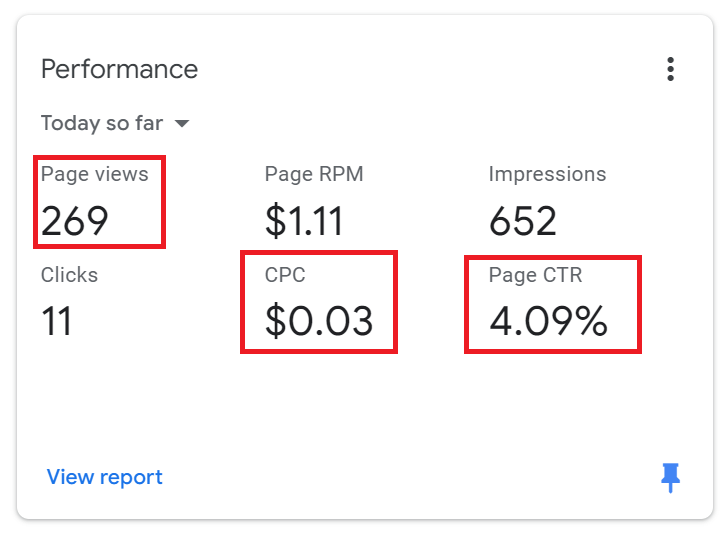
  1. Gather Your Data: Collect your total pageviews for a specific time period. This data can usually be found in your Google Analytics account.
  2. Determine Your RPM: Calculate your RPM by dividing your total earnings by the total pageviews and multiplying by 1000.
  3. Visit an AdSense RPM Calculator: Use a reliable online tool. You can find several options by searching for "AdSense RPM calculator".
  4. Input Your Data: Enter your total pageviews and your calculated RPM into the calculator.
  5. Analyze the Results: Review the estimated revenue provided by the calculator. This figure can help you decide on content creation and advertising strategies.
  6. Adjust for Seasonality: Consider seasonal trends in your niche that may affect both pageviews and RPM. Adjust your forecasts accordingly.
  7. Monitor and Update: Regularly update your inputs based on changing traffic patterns and revenue performance to keep your forecasts accurate.

Common Mistakes

  • Ignoring Seasonal Trends: Failing to account for seasonality can lead to inaccurate forecasts. Always consider historical data when predicting future earnings.
  • Using Inaccurate Pageview Data: Ensure that your pageview data is accurate and reflects the same time period for which you're calculating RPM.
  • Neglecting to Update RPM: Your RPM can fluctuate based on various factors, including changes in ad placement and audience engagement. Regularly recalculate your RPM for the most accurate forecasts.

Checklist for Using an AdSense RPM Calculator

  • [ ] Have you gathered accurate pageview data?
  • [ ] Have you calculated your RPM correctly?
  • [ ] Are you using a reliable AdSense RPM calculator?
  • [ ] Have you considered seasonality in your estimates?

FAQ

What is an AdSense RPM calculator?

An AdSense RPM calculator is a tool that helps publishers predict their revenue based on pageviews and RPM. ### How does an AdSense RPM calculator work?

It calculates estimated revenue by taking your total pageviews and multiplying them by your RPM, providing a forecast for your earnings. ### Why should I use an AdSense RPM calculator?

Using this calculator allows you to make data-driven decisions about your content and advertising strategies, enhancing your revenue potential. ### Can I use an AdSense RPM calculator for other platforms?

While primarily designed for AdSense, the concept can be adapted for other ad networks with similar metrics.

> Remember, using an AdSense RPM calculator can significantly enhance your forecasting accuracy, leading to better content and advertising strategies.

For more resources on maximizing your AdSense revenue, check out our tools at Tech Revenue Brief.

Source: Tech Revenue Brief Editorial.

Tools mentioned in this guide

- Mediavine vs AdSense

Operator take

What we would do

We would protect audience trust first. Monetization that hurts open rates or engagement usually costs more later.

Example

Example: newsletter operator testing sponsorship pricing

Setup

12k subscribers, 42% open rate, one sponsor slot per issue.

What we would do next

Price on engaged readers and click-through to offers—not raw list size alone.

Action plan

What we would test first

  1. 1Model revenue with conservative CTR, conversion, and churn assumptions.
  2. 2Check policy and user experience impact before adding more ad slots.
  3. 3Pick one monetization lever to improve this month (ads, affiliate, or email).

Watch out

Mistakes to avoid

  1. 1Publishing a summary without a clear recommendation or next step.
  2. 2Chasing every related keyword instead of one primary page job.
  3. 3Ignoring Search Console or analytics when the topic is search-driven.
  4. 4Projecting revenue from best-case RPM or conversion assumptions.
  5. 5Adding ad density before the site has enough trust and depth.

Next steps

Turn this into action